
Download Academia Server – Advanced Academic Reporting Tool for Ghana Education Service
Overview
Academia Server is a specialized mobile application developed to simplify the management and reporting of academic data within educational institutions in Ghana. Designed specifically for educators and school administrators, the app addresses the time-consuming and error-prone nature of manual academic reporting. By digitizing the process, Academia Server enables users to efficiently record, generate, and submit academic reports to the Ghana Education Service (GES) or for internal school use. The app is particularly beneficial for schools seeking to modernize their administrative workflows while maintaining compliance with national education standards.
Its primary purpose is to reduce the administrative burden on teaching staff, allowing them to redirect focus toward instruction and student engagement. The app supports real-time data updates, ensuring that all stakeholders have access to current academic records. This is especially valuable during reporting periods, assessments, and school audits. Target users include teachers, headteachers, academic coordinators, and education officers who manage student performance data across multiple classes and subjects.
Although the developer’s background was not disclosed, the app’s focus on GES compliance suggests a strong understanding of Ghana’s educational framework. Real-world use cases include end-of-term reporting, tracking student progress, generating class summaries, and preparing data for official submissions. In the broader app ecosystem, Academia Server fills a critical gap in education technology by offering a tailored solution for a specific regional regulatory environment, making it a valuable tool for schools aiming to improve administrative efficiency and data integrity.
Key Features & Functionality
Academia Server integrates several core functionalities designed to enhance academic reporting workflows. Each feature is built with the needs of educators in mind, emphasizing efficiency, accuracy, and ease of use.
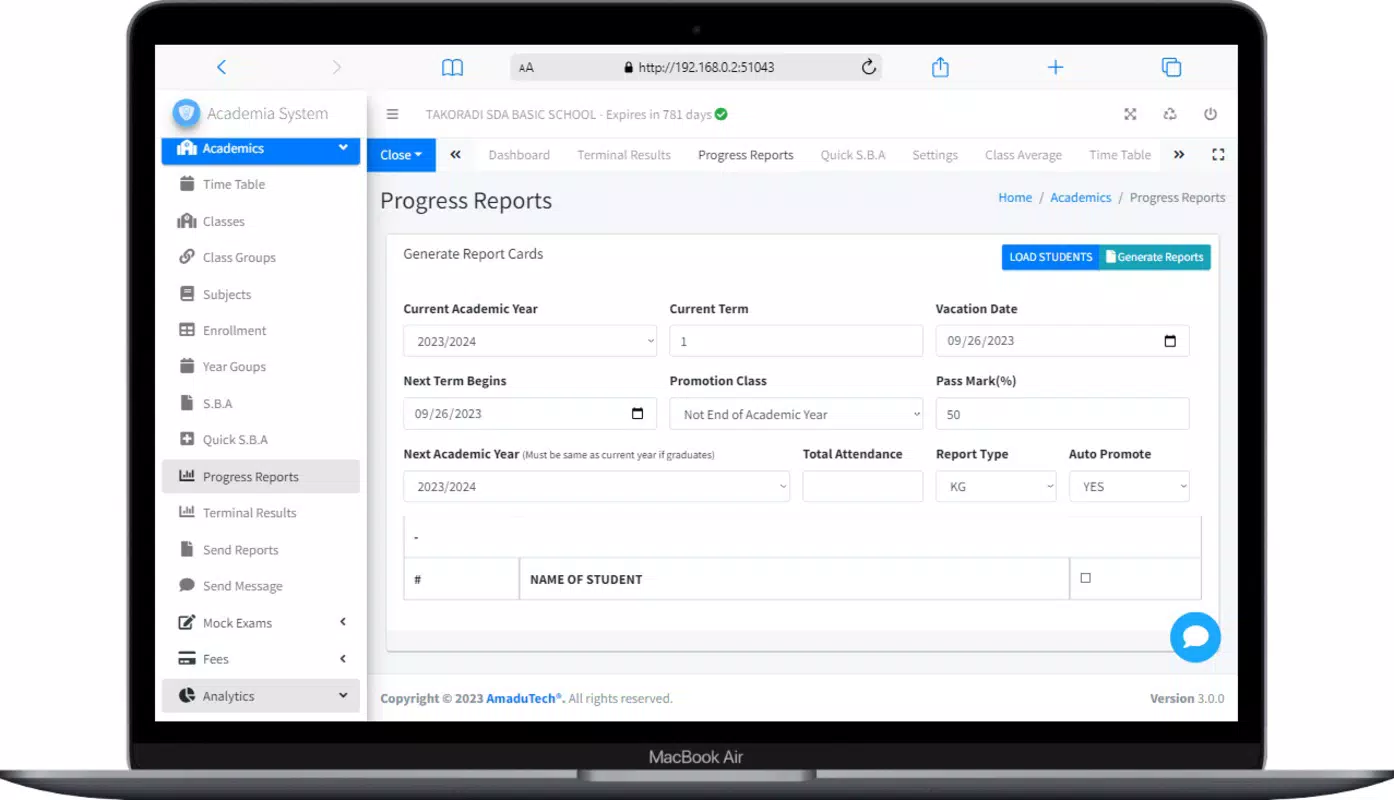
- Efficient Reporting: The app streamlines the creation of academic reports by automating data compilation and formatting. Educators can generate reports tailored to both GES standards and internal school requirements, minimizing manual input and reducing the risk of errors.
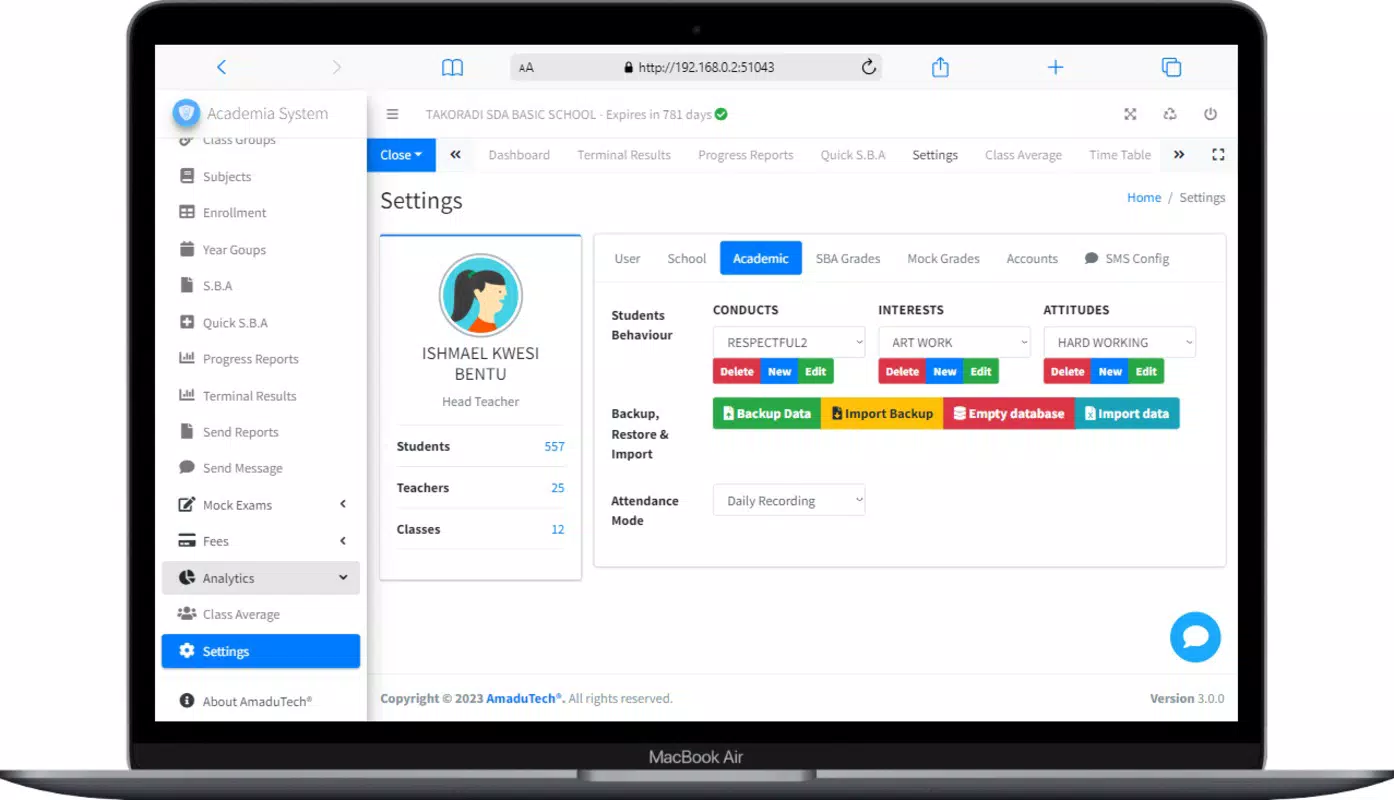
- User-Friendly Interface: With an intuitive layout, the app ensures that users of all technical skill levels can navigate features without extensive training. Simple menus and clear visual cues help staff focus on data entry and analysis, not system navigation.
- Secure Data Management: Robust security protocols are implemented to safeguard sensitive student information. The system includes access controls and regular backups, ensuring data integrity and protection against loss or unauthorized access.
- Customizable Features: Schools can personalize reporting templates and data fields to align with their unique academic standards. This flexibility supports diverse institutional practices and enables customization for different school levels or curricula.
- Real-Time Updates: All changes are reflected instantly across the platform, allowing teachers and administrators to access the most current data. This feature supports timely decision-making, such as identifying struggling students or adjusting teaching strategies.
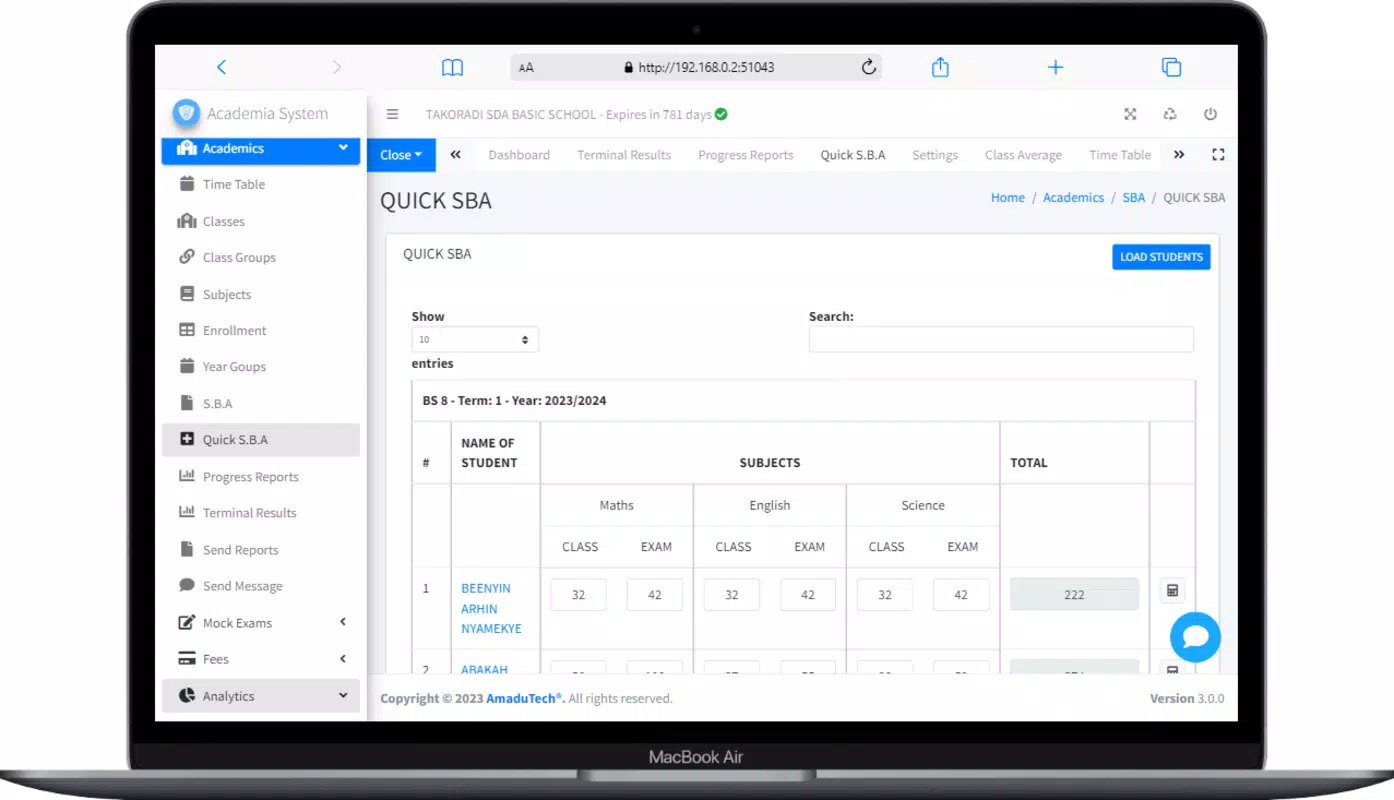
For example, a teacher can input termly grades directly into the app, and the system instantly generates a formatted report compatible with GES submission formats. Simultaneously, the same data can be used to create a summary for parent-teacher meetings. The real-time sync ensures that all stakeholders see the same information, improving coordination and transparency.
Interface, UX & Performance
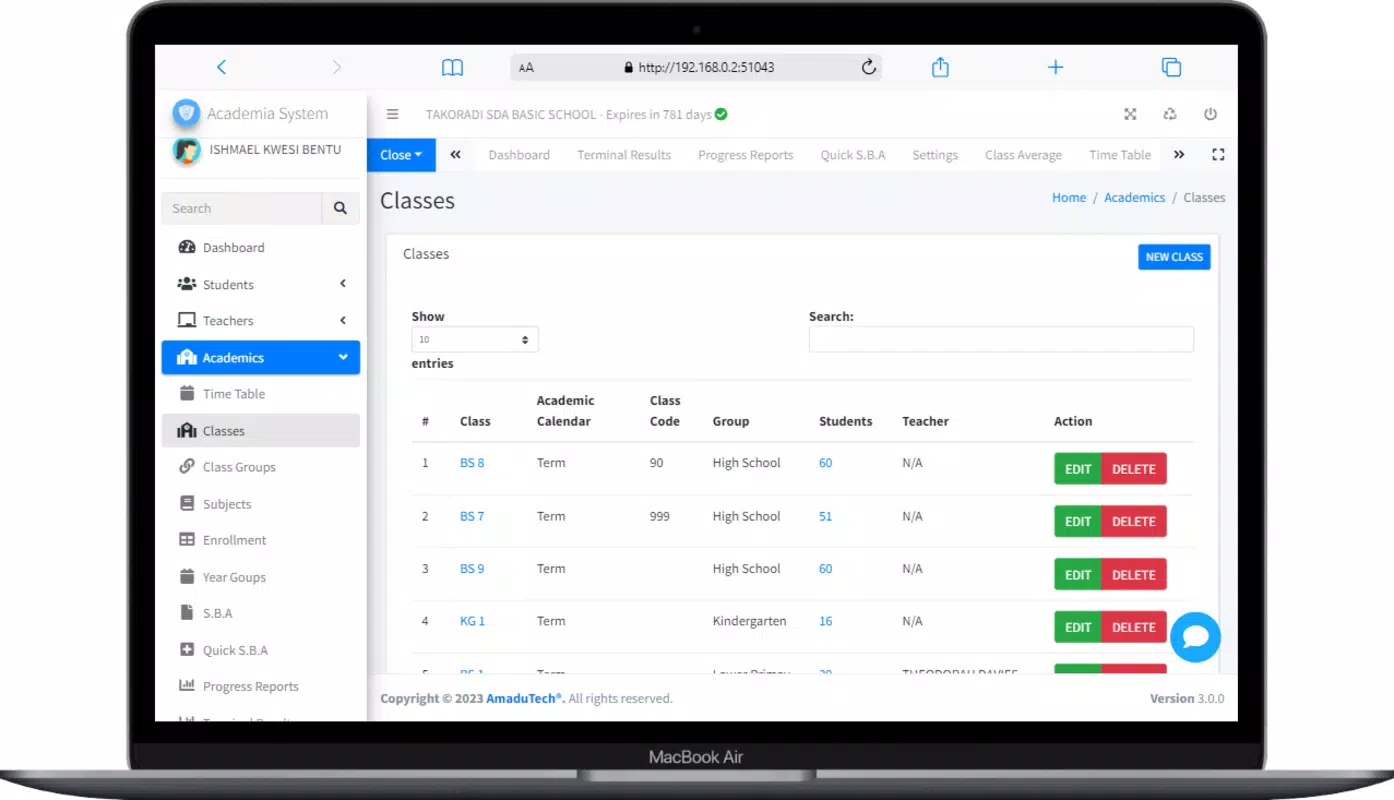
The user interface of Academia Server is designed with clarity and functionality in mind. It features a clean layout with logical navigation, allowing users to move between data entry, report generation, and settings with minimal effort. The visual style prioritizes readability, using consistent typography, color coding, and iconography to guide users through workflows.
Navigation is structured around key tasks such as entering grades, generating reports, and managing user roles. Menus are accessible from a bottom bar or side drawer, depending on device orientation, ensuring consistency across different screen sizes. The app minimizes clutter by grouping related functions, reducing cognitive load and improving task completion speed.
Although the developer did not list formal performance metrics, the app’s real-time update feature suggests optimized backend processing. Users can expect responsive interactions during data entry and report generation, even on mid-range devices. Stability appears to be a priority, given the emphasis on secure backups and data integrity.
Performance on different device categories—such as smartphones and tablets—has not been publicly documented. However, the app’s design principles suggest it is optimized for a variety of screen sizes and input methods. The absence of reported crashes or lag indicates a stable user experience, though further testing across diverse hardware is recommended.
Platform Compatibility & Technical Requirements
Academia Server is available for Android devices. The app supports the latest Android operating system versions, though specific minimum OS requirements were not listed by the developer. The file size of the application is approximately 25 MB, making it lightweight and suitable for devices with limited storage.
Users should ensure their device meets standard Android requirements for app installation and operation. Compatibility with iOS devices was not confirmed. The app’s version is 1.0.0, released on August 25, 2024. While no detailed technical specifications were provided, the app’s functionality suggests it is designed for standard Android smartphones and tablets with internet connectivity.
The developer did not specify minimum RAM, processor, or storage requirements. Therefore, users are advised to install the app on devices with adequate resources to ensure smooth operation. The app’s lightweight size indicates it is optimized for performance, even on lower-end hardware.
Pros and Cons
Pros
- Streamlines academic reporting for GES compliance
- Intuitive interface suitable for non-technical users
- Strong focus on data security and backup
- Customizable templates for diverse school needs
- Real-time data synchronization across users
- Lightweight design with minimal storage usage
Cons
- Platform availability limited to Android only
- No official information on iOS compatibility
- Specific technical requirements not disclosed
- Compatibility with older Android versions not confirmed
- Limited public documentation on update frequency
FAQ
Is Academia Server free to download and use?
Yes, the app is available for download at no cost. However, specific pricing details for premium features, if any, were not disclosed by the developer.
Can I use Academia Server offline?
While the app supports real-time updates, offline functionality was not confirmed. Users are advised to maintain internet connectivity for full access to features and data synchronization.
Is my student data secure on Academia Server?
Yes, the app implements robust security measures to protect sensitive academic information. Data is secured through access controls and regular backups to prevent loss or unauthorized access.
Does Academia Server support multiple schools or institutions?
It is designed for individual school use. Multi-institution support was not mentioned in the provided information.
How often is Academia Server updated?
The developer did not specify an update schedule. Users are encouraged to check for updates regularly through the app store to ensure they have the latest version.
Final Thoughts
Academia Server stands out as a practical, focused solution for schools in Ghana aiming to modernize academic reporting. Its ability to reduce administrative workload, ensure data accuracy, and support compliance with GES standards makes it a valuable asset for educators and administrators alike. The app’s user-friendly design, combined with secure data handling and real-time updates, delivers tangible benefits in day-to-day operations.
While it is currently limited to Android devices and lacks detailed technical specifications, its core functionality addresses real pain points in school administration. The customizable nature of the platform ensures it can adapt to various institutional needs, enhancing its long-term utility.
For teachers, headteachers, and academic staff managing student records, Academia Server offers a reliable, efficient way to handle reporting tasks. If you’re seeking a secure, lightweight, and purpose-built tool for academic data management, this app is a strong contender.
Download Academia Server now


